DeckCal

A Stream Deck plugin that turns a key into a live countdown to your next Google Calendar meeting, with a press to join it.
DeckCal is a Stream Deck plugin that turns a key into a live indicator for your Google Calendar.
The key shows a countdown to the next meeting (or the time remaining in the current one), with a progress bar across the top, a yellow fill in the last few minutes before it starts, and a footer band for out-of-office or focus-time overlaps. Press the key to join the current meeting, open its URL in a chosen app, or jump to the next meeting’s notes doc.
At a glance
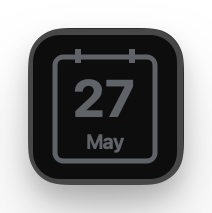
Idle
Nothing on the calendar today any time soon.
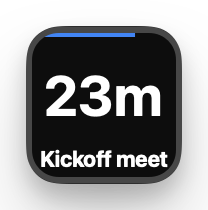
Countdown to the next meeting
Time remaining, with a blue bar.
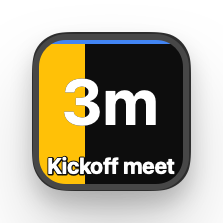
Imminent
In the last 5 minutes a yellow block gradually fills the key.
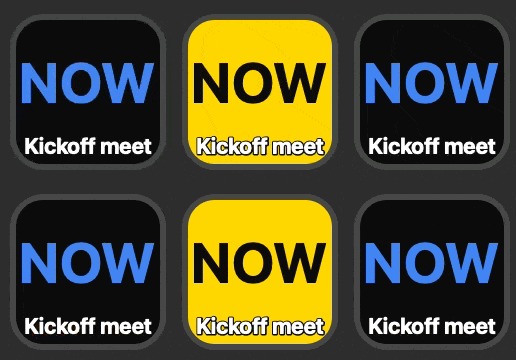
Meeting starts
Flashes NOW until you press. Pressing opens the meeting.
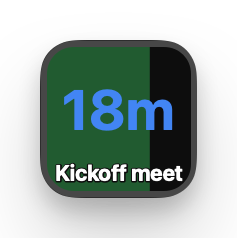
In the meeting
Time remaining, with a green bar showing time elapsed.
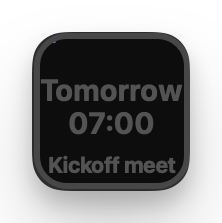
Beyond today
Distant events are dimmed; events tomorrow show the time of day instead of a countdown.
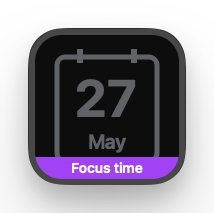
Focus time
Purple footer band, so you can still see the next regular meeting.
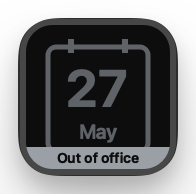
Out of office
Grey footer band so you can still see the next meeting.
Multi-key sweep
Place several Meeting countdown (or Upcoming meeting) keys next to each other and the yellow imminent-fill bar sweeps across them as a single band in the last few minutes before a meeting — a much more visible cue than a single key can give on its own.
Actions

Meeting countdown
The ongoing meeting if you’re in one, otherwise the next upcoming meeting. The “do everything” action.

Upcoming meeting
Only the next upcoming meeting. Ignores meetings already in progress.

Ongoing meeting
Only the meeting you’re currently in. Idle when nothing is happening.
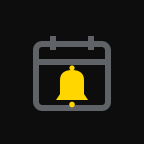
Meeting alert
A blank tile that only lights up the moment a meeting starts. Short press dismisses, long press joins.
Features
- Live countdown and progress bar. Time remaining to (or within) a meeting, with a coloured bar that fills as the meeting elapses.
- Imminent-fill cue. In the last few minutes a yellow block gradually fills the key. Place several keys side by side and the fill sweeps across them as one band — far more visible than a single key.
- Press to join. Pressing opens the current Google Meet, Zoom, or Teams meeting. Long press opens the meeting’s first attached doc.
- Multiple Google accounts. Sign in with one or more accounts and tick exactly which calendars feed the countdown.
- Special events. Out-of-office and focus-time events get their own footer band so you can still see your next regular meeting.
Privacy
No Google Cloud setup is required to use a release build. The plugin authenticates with a loopback PKCE flow (RFC 8252) — your credentials never leave your machine.
DeckCal accesses your Google Calendar on a read-only basis and stores everything locally on your own machine. See the DeckCal privacy policy for full details.
Find the latest release and source code on GitHub.